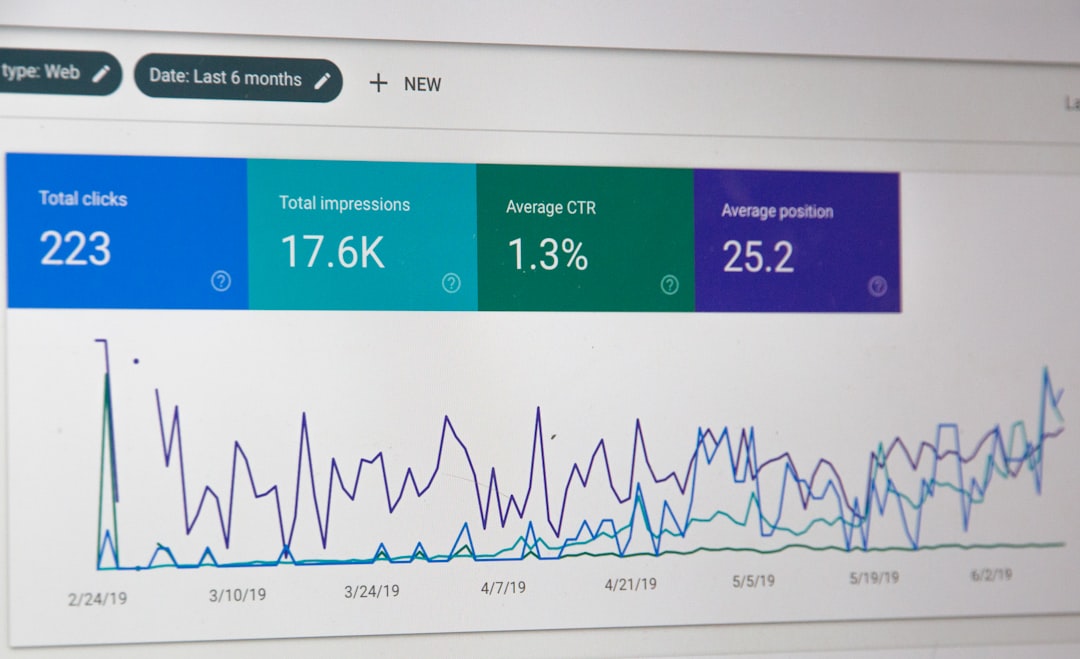
You’ve published a long guide. Three months later, it’s getting cited in ChatGPT responses — clients mention seeing it, you can reproduce the citation yourself — but your GA4 dashboard shows almost nothing from OpenAI. The traffic is real. The measurement is the problem.
This is the most common complaint from marketers investing in generative engine optimisation right now. The work produces citations. Citations produce clicks. Those clicks land in GA4 under “(direct)/(none)” or scatter across a dozen micro-sources no one reviews. Without a clean way to isolate AI referral traffic, the channel stays invisible to finance, and budget conversations get awkward.
You can fix most of this in an afternoon with a custom channel group, a regex filter, and a few UTM conventions. What follows is the setup I run for clients, the referrer domains that matter in 2026, and the honest limits of what GA4 can see.
Why GA4 Doesn’t Attribute AI Traffic Cleanly by Default
GA4’s default Channels — Organic Search, Paid Search, Referral, Direct — were designed around a web where Google, Bing, and a few social networks accounted for almost everything. ChatGPT, Claude, Perplexity, Copilot, Gemini, and You.com didn’t exist when the default regex rules were written, and Google has been conservative about updating them.
When a user clicks a citation link inside ChatGPT, one of three things happens.
Scenario one: the browser passes a referrer like chatgpt.com or chat.openai.com. GA4 files it under “Referral” — but lumped in with every other referral source, quietly disappearing inside a long list of low-volume domains.
Scenario two: the click passes through a redirect or the AI client strips the referrer, and the session lands as “(direct)/(none).” Your “direct” traffic has been quietly growing and you’ve been attributing it to brand strength.
Scenario three: the user sees your brand in an answer, doesn’t click, and later types your domain into a browser. This shows up as direct too — a leading indicator of AI visibility that referrer tracking will never catch.
The first scenario is the one we can fix cleanly. The other two need complementary measurement, covered below. The goal is not to measure every AI-influenced session — it’s to build a conservative floor number you can report confidently.
The AI Referrer Domains Worth Tracking in 2026
Before building filters, you need the list. These are the referrer hostnames I track for clients as of early 2026 — roughly 95% of click-through volume I see in practice.
- chatgpt.com — current primary ChatGPT domain for web users
- chat.openai.com — legacy domain, still sends some referrals
- perplexity.ai — Perplexity’s citation-heavy interface
- claude.ai — Anthropic’s Claude web app (referrals intermittent)
- copilot.microsoft.com — Microsoft Copilot
- gemini.google.com — Google’s Gemini web interface
- you.com — You.com’s AI search
- bing.com/chat — occasionally appears as a distinct path
Honourable mentions that show up in logs but rarely in GA4 referrals: meta.ai, duckduckgo.com/aichat, kagi.com, and phind.com. Add them if you have volume.
The combined regex I use for both the channel group and Looker Studio filters:
^(chatgpt\.com|chat\.openai\.com|perplexity\.ai|claude\.ai|copilot\.microsoft\.com|gemini\.google\.com|you\.com)$
Anchor it with ^ and $ so you don’t accidentally match subdomains you didn’t mean to. If you do want subdomains (e.g., for Perplexity’s enterprise tenants), drop the anchors and use \. escaping on the dots.
Building a Custom “AI Sources” Channel Group in GA4
This is the cleanest way to make AI traffic visible across default reports. Once set up, “AI Sources” appears as its own channel in Acquisition reports, side-by-side with Organic Search and Direct.
Step one — navigate to channel groups. In GA4, go to Admin → Data display → Channel groups. Click Create new channel group.
Step two — name it. Something unambiguous like “Custom — AI Sources 2026.” You’ll see this name in reports.
Step three — add a new channel at the top. Order matters. GA4 evaluates channels top-down and stops at the first match. If “AI Sources” sits below “Referral,” the referral rule catches chatgpt.com first and your AI channel stays empty. Drag it to position one.
Step four — define the rule. Set the condition to Source matches regex, and paste:
^(chatgpt\.com|chat\.openai\.com|perplexity\.ai|claude\.ai|copilot\.microsoft\.com|gemini\.google\.com|you\.com)$
Save. Data populates immediately but historical sessions may not reclassify — GA4 applies channel groups at report time for new data in some views, retroactively in others. Give it 24-48 hours before trusting the numbers.
Step five — verify. Go to Reports → Acquisition → Traffic acquisition and change the primary dimension to your new channel group. You should see “AI Sources” appearing with session counts. If it’s at zero after two days and you know you’re getting cited, the regex or ordering is wrong.
For a reference point: across the AEO and GEO clients I run active measurement for, AI Sources typically accounts for 0.5% to 4% of organic-equivalent sessions in early 2026. It’s growing month-over-month, and the conversion rate is often 1.5-2x higher than cold organic because the user has been pre-qualified by the AI’s summary.
UTM Conventions for the Traffic You Can Control
Referrer tracking catches clicks from AI interfaces to your site. It doesn’t catch traffic flowing the other direction — links you paste into prompts, structured-data feeds some AI systems read, or internal tool integrations where your content gets surfaced.
For anything you control, tag it. A clean UTM scheme:
utm_source=chatgpt(orclaude,perplexity,gemini)utm_medium=ai_referralutm_campaign=<specific-surface-or-prompt>
The utm_medium=ai_referral convention is the important one. Once GA4 sees it, you can build segments, conversions, and audiences on that medium alone. I use this for GPT-action integrations, Claude-based internal tools that deep-link to pages, and shared prompt templates containing URLs.
Warning: don’t UTM-tag the citation links ChatGPT generates automatically. You don’t control those, and the AI may strip your parameters or refuse to cite the URL. UTMs are for surfaces you own.
Looker Studio and GA4 Explorations for Deeper Cuts
The channel group gives visibility in standard reports. For anything more — comparing AI sources, tracking conversions assisted by AI visits, watching trend lines — you need a Looker Studio dashboard or a GA4 Exploration.
The minimum viable Looker dashboard has four tiles:
- AI Sources sessions over time (line chart, 90-day trailing, broken out by source)
- AI Sources conversions and conversion rate (table, primary conversions from GA4)
- Landing pages receiving AI traffic (table, sorted by session count, filtered to AI regex)
- Source-to-medium detail (table, for auditing sources slipping through)
Filter every tile on the same regex. Share it with anyone asking about AI visibility. It closes more debates than any deck.
For a GA4 native Exploration, use Free Form, set Rows to “Session source,” add a filter where source matches the regex, and pull in session count, engaged sessions, conversions, and revenue. Save it to your property so the team can clone it.
The practical win: once the dashboard exists, clients stop asking whether GEO is “working” and start asking which pages are earning the most AI-referred sessions. That turns a vague concern into a ranked backlog of AI Overviews optimisation candidates.
The Limits — What This Setup Will Not Catch
The numbers you report will land in budget meetings, and the worst outcome is overclaiming.
Missing referrer headers. Many AI clients strip or omit the referrer for privacy or technical reasons. Claude’s web app is inconsistent. Mobile AI apps almost always strip it. Anything that opens a citation in an in-app WebView rather than a real browser usually strips it. The sessions happen — they just land as direct.
Assisted and influenced sessions. A user reads a ChatGPT answer citing your brand, closes the tab, and Googles you an hour later. That’s branded organic in GA4, clearly influenced by AI visibility, with no referrer chain connecting them. Watch branded search volume in Search Console as a parallel leading indicator.
Bot crawls versus human visits. AI crawlers (GPTBot, ClaudeBot, PerplexityBot, Google-Extended, CCBot) don’t show up in GA4 — they’re filtered as non-human. To measure crawl frequency, you need server-log analysis or a technical SEO tool that parses logs. I run this monthly for GEO retainers. It’s the closest “what are they reading” signal available.
In-answer brand mentions without clicks. This is the real ceiling. A user asks Claude a question, Claude mentions your brand, the user doesn’t click, the user converts a week later through another channel. Nothing in GA4 captures that. The only measurement is manual monitoring — rotating target prompts across ChatGPT, Claude, Perplexity, and Gemini weekly and logging whether your brand appears.
The floor number your GA4 dashboard reports is real and defensible. The true impact of your generative engine optimisation investment is almost certainly several times higher. Report both framings when you report at all.
Server-Log Analysis as the Complement to GA4
For higher-tier retainers, I pair GA4 with monthly server-log parsing. The user-agents to filter for:
GPTBot— OpenAI’s crawler for training and retrievalChatGPT-User— OpenAI’s on-demand fetcher for live page readsClaudeBotandClaude-Web— Anthropic’s crawlersPerplexityBot— Perplexity’s crawlerGoogle-Extended— Google’s AI-specific crawler (separate from Googlebot)CCBot— Common Crawl, training data for many LLMsAmazonbot,Applebot-Extended,Bytespider— secondary, worth watching
Count fetches per page per month. The pages being fetched most by ChatGPT-User are the pages being actively surfaced in ChatGPT answers. Cross-reference with GA4 landing-page data for a defensible picture of which content earns AI visibility.
This is where the AEO vs GEO distinction matters for measurement. AEO has been measurable via Search Console for years. GEO needs this hybrid GA4-plus-log-analysis approach because no single tool owns the data.
FAQ — Tracking AI Referral Traffic in GA4
Why does my ChatGPT traffic show up as “direct” in GA4?
Because many AI clients strip the referrer header for privacy or technical reasons, especially in mobile apps and in-app WebViews. The session is real — the attribution path is missing. This is the single biggest reason direct traffic has quietly grown for brands investing in GEO over the past eighteen months.
How often should I update the AI referrer regex?
Every quarter. New AI interfaces launch regularly, and existing ones occasionally change their primary domain (OpenAI’s shift from chat.openai.com to chatgpt.com is the obvious example). Set a calendar reminder, check your referral report for unfamiliar AI-looking sources, and expand the regex as needed.
Will this setup work for Universal Analytics or only GA4?
GA4 only. Universal Analytics stopped processing data in July 2023 and was shut down for most properties in 2024. If you’re still reading from UA historical data, any AI referral from 2024 onwards won’t be there regardless of setup.
Do I need a custom channel group, or is filtering by source enough?
Filtering works for ad-hoc analysis. Custom channel groups work for recurring reporting, because they persist across every standard report and stay visible without requiring an analyst to build the filter each time. For anything you’ll report more than twice, set up the channel group.
Can I see conversions from AI referral traffic?
Yes, once the channel group exists. In Traffic acquisition, swap the primary dimension to your custom channel group and conversion columns populate normally. AI referral conversion rates typically run 1.5-2x cold organic in my client data, though sample sizes are often small — treat rate data cautiously below 200 sessions per month.
How do I track AI traffic to specific landing pages?
Use Explorations. Create a Free Form exploration with Landing page as the row dimension, filter sessions where source matches your AI regex, and pull in sessions, engagement rate, and conversions. This tells you which specific pages are earning AI citations that convert to clicks.
Should I tag citation links with UTMs?
No. You don’t control citation links AI systems generate, and adding UTMs server-side can break the citation or cause the AI to refuse to link you. UTMs are for surfaces you own — shared prompts, GPT actions, internal tools.
Is 2-4% of organic traffic from AI sources realistic for 2026?
For B2B SaaS, professional services, and technical content, yes — that’s the range across active GEO engagements. E-commerce and local services sit lower, often under 1%. For informational content in AI-native categories, I’ve seen clients hit 8-10%. The trend line matters more than the absolute number.
Discuss Your AI Measurement Setup
If you’re running GEO or AEO work and need a clean measurement foundation before the next budget review, I build these dashboards for clients as part of generative engine optimisation retainers.
Book a free 30-minute consultation or email [email protected].
Related Reading
- What Is AEO? — the AEO vs GEO framing and why both matter for measurement
- Generative Engine Optimisation Services — the strategy layer that sits above this measurement setup
- AI Overviews Optimisation — Google-specific AI surface and how to measure its referrals separately
- GEO Services — how Sovereign SEO approaches generative engine optimisation end-to-end
- Technical SEO Services — the log-analysis and crawl-monitoring layer that complements GA4
- AEO Services — answer engine optimisation scope and deliverables